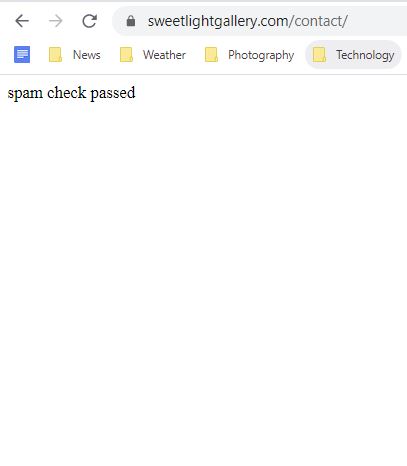
I just noticed that when I try to send an email using my contact page, a white page appears with the only text on the page “spam check passed”. Shouldn’t I be returned to the contact page? Also, the email is never received.
I would appreciate anyone who can help me sort out these two issues.
My email address I use for Site and Vendor Email in the Backlight setup, does not match my domain name. It has always been this way, and I never had any issues until I updated to Backlight 3. I asked my host provider for an email address using the domain name, only to learn, much to my surprise, that they now charge $60 annually for an email address. I really do not want to lock into this charge, so I am wondering why the contact form worked fine in Backlight 2 and now it does not in Backlight 3. I am also having issues about gallery images not displaying properly (another forum thread), which only started happening with Backlight 3. I am wondering if I should roll back to Backlight 2. What is going on with Backlight 3? I thought the new updated would provide advantages, but so far I am dealing with two major issues.
Any help on how to get what was a previously functioning contact page in Backlight 2 to start working in Backlight 3, would be greatly appreciated.
I’m not aware of any changes to email functionality between Backlight 2 and 3. Email delivery is largely out of our hands, as any number of things can happen to a message once sent, before it arrives at its intended destination. And any tightening of security between sending and receiving can cause that message to go missing. If your email address does not match you domain, then that is a big, red flag.
Instead of paying your host, you might instead setup your domain using GSuite. That’s what I’ve done for @theturninggate.net addresses, and it costs me I think $6/month.
Even if the email is not received, why does a white page appears with the only text on the page “spam check passed”. Shouldn’t I be returned to the contact page?
I sent you a message with the info. Here is a screen capture of what I see after sending a message from my contact page. In Backlight 2, I used to be returned to my website and then could navigate to other parts of it, but instead this is the message I get Backlight 3. My website is no longer available.
Thank you, that solved the problem. I now receive emails sent via the contact form and I see the normal page with the message “Thank you for contacting me”.
What is the purpose of the Debug Google reCAPTCHA setting?
I’m glad that solved it. As per the info in the info hover-over for the setting: Enable this setting to display technical responses for reCAPTCHA validation. It’s useful for finding out why reCAPTCHA may be failing.
I have changed our code so that if this is enabled that the message be appended to the usual success/failure messaging without interrupting the form submission. In any case, I only suggest enabling it if you are having trouble with reCAPTCHA.