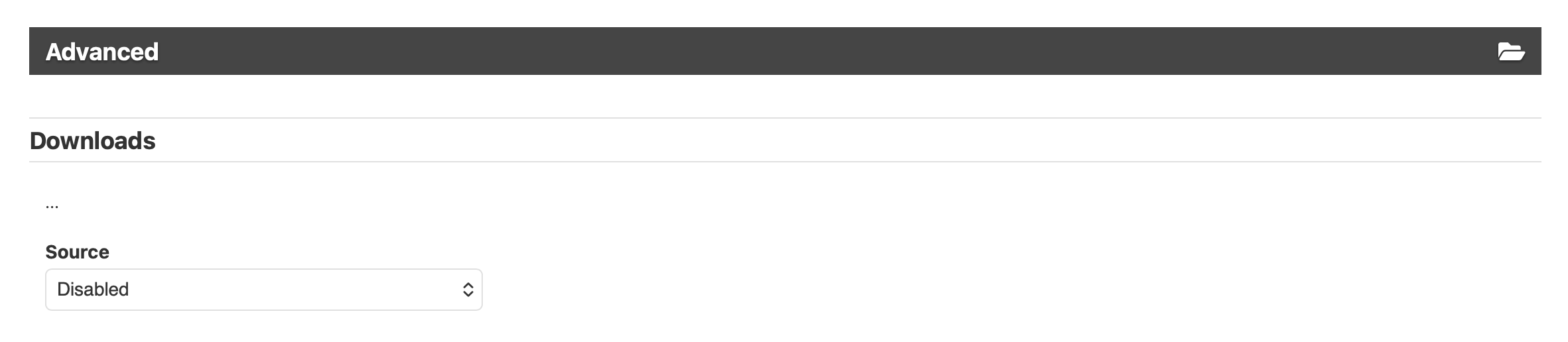
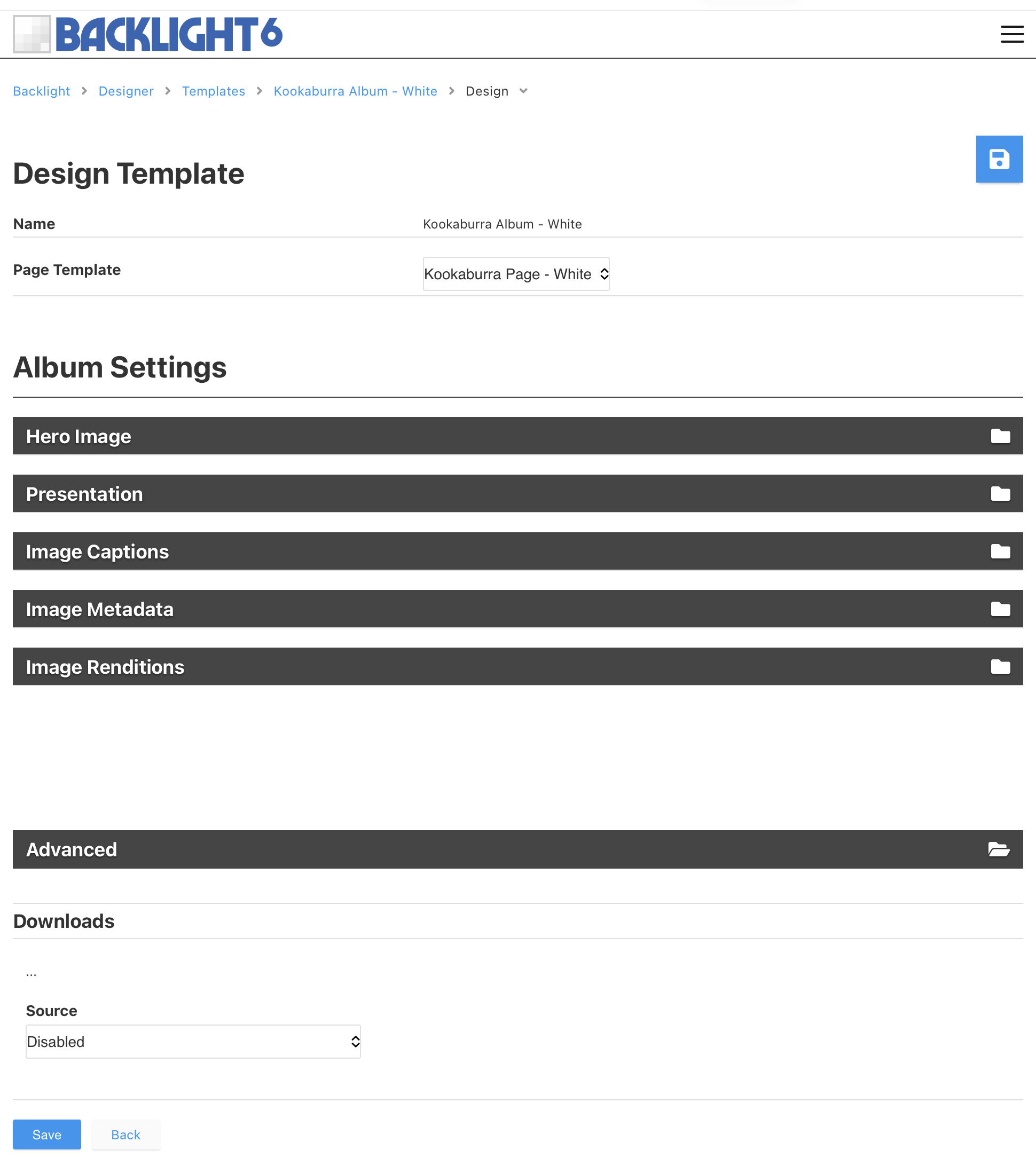
I’m trying to figure out what else I should be doing to disable downloads.
I initially had an Album template that was set to allow downloads. I’ve now gone back and disabled that feature. At first blush this did not remove the download button on the single image page. So I went back to Lightroom and marked an album for republish. I republished and cleared my Safari cache. Download button still present. Went to Backlight and used Special Links to clear template cache. Still no change.
So wondering what I might be missing that would let me ensure that downloads are off.
Try checking for Backlight updates. I just updated to 6.5 and created a new album. The download icon now also shows up when hovering over the hamburger icon on the thumbnail. And I was able to disable downloads after initially.
update: also went to modules and reinstalled all. No change. Download button still visible and functional. Went back to all album templates and validated that Advanced > Downloads was set to disabled
Might be something wrong with the template file. You could try assigning a different template to the album. Or perhaps creating a new template cloned from the current template.
I’ve cloned the template in question and reassigned one of the albums to the new template. In Lightroom I confirmed that album was assigned the new template. I marked the entire album for republishing and republished. I used Special Links to clear the cache.
Still seeing the download option.
While I certainly don’t expect you to fix it for me, but if you’d like me to provide admin credentials to log in and take a look, I’d be happy to do that, Rod.
UPDATE: I reassigned the album to a Default Pangolin template with downloads disabled and it honored that. So I created an entirely new Kookaburra Album template (without cloning). I set it to use the same configurations as the template that appears to be ‘broken’ - including ensuring that Advanced > Downloads was set to disabled. Reassigned the album from Pangolin default to the new Kookaburra template that I just created. Download icon was still there. So - needless to say - I’m super puzzled by what’s keeping this download option enabled. Can’t rule out that it’s something computer and/or browser specific. BUT - I did download Duck Duck Go’s brewers. Never have used that so absolutely no history on my device of that browser. Went to the album in question and the download button was still there.
Something is ‘stuck’ in the Kookaburra template it seems.
There are two places that I can find. One is in the page template under Presentation Actions > Actions, and the other is in the Album Template under Advanced
I’m the host. Hosting this on my Synology NAS leveraging Cloudflare. I went to Cloudflare to ensure there were no default caching rules set up - and there were none set up
For now…I’ve put all the Kookaburra Albums into a new Pangolin Album. This eliminated the download option. Hopefully @Ben or @Matthew have some suggestions on how I might be able to turn off downloads in the Kookaburra albums. Really does just feel like something got stuck somehow.