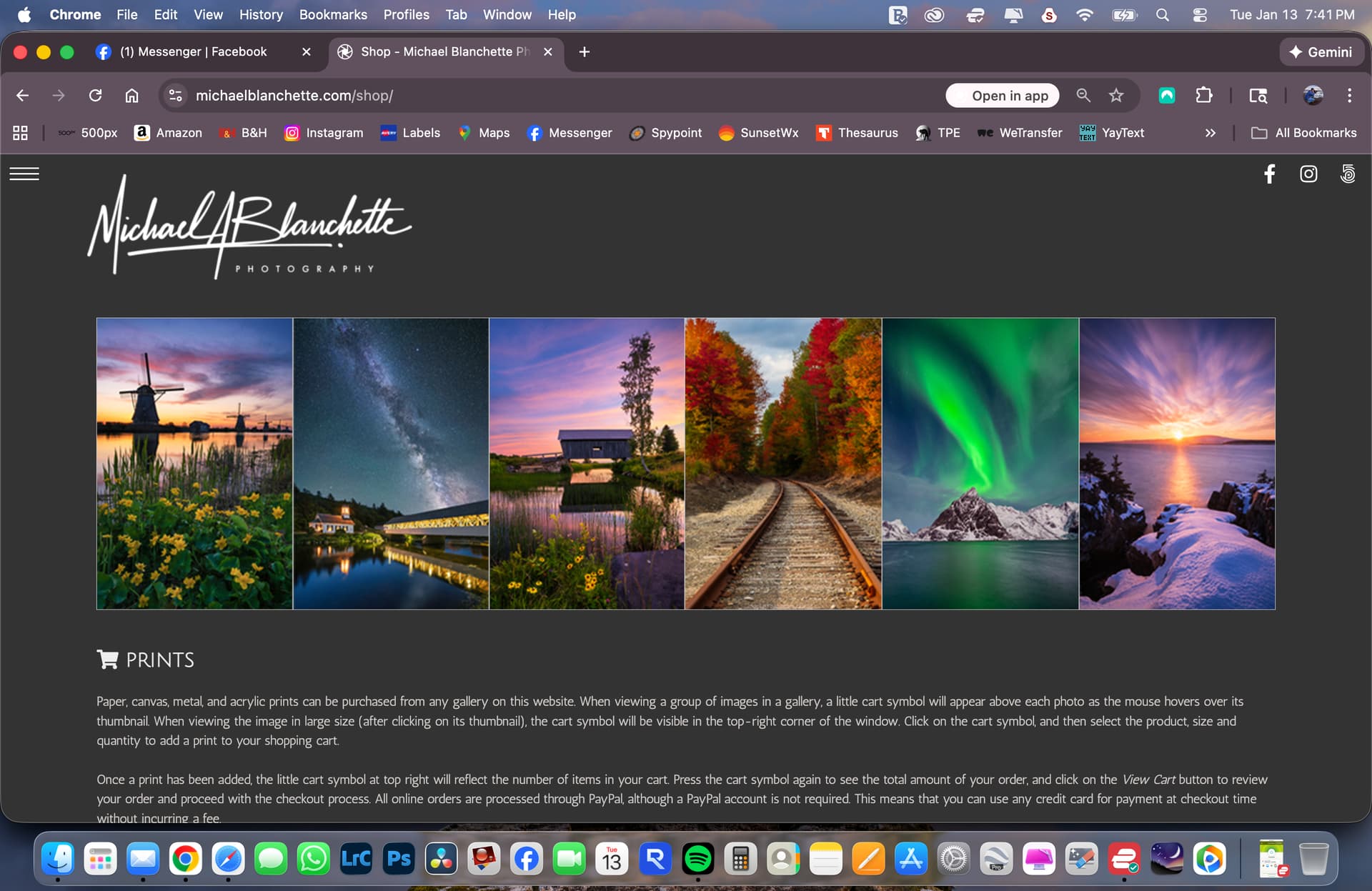
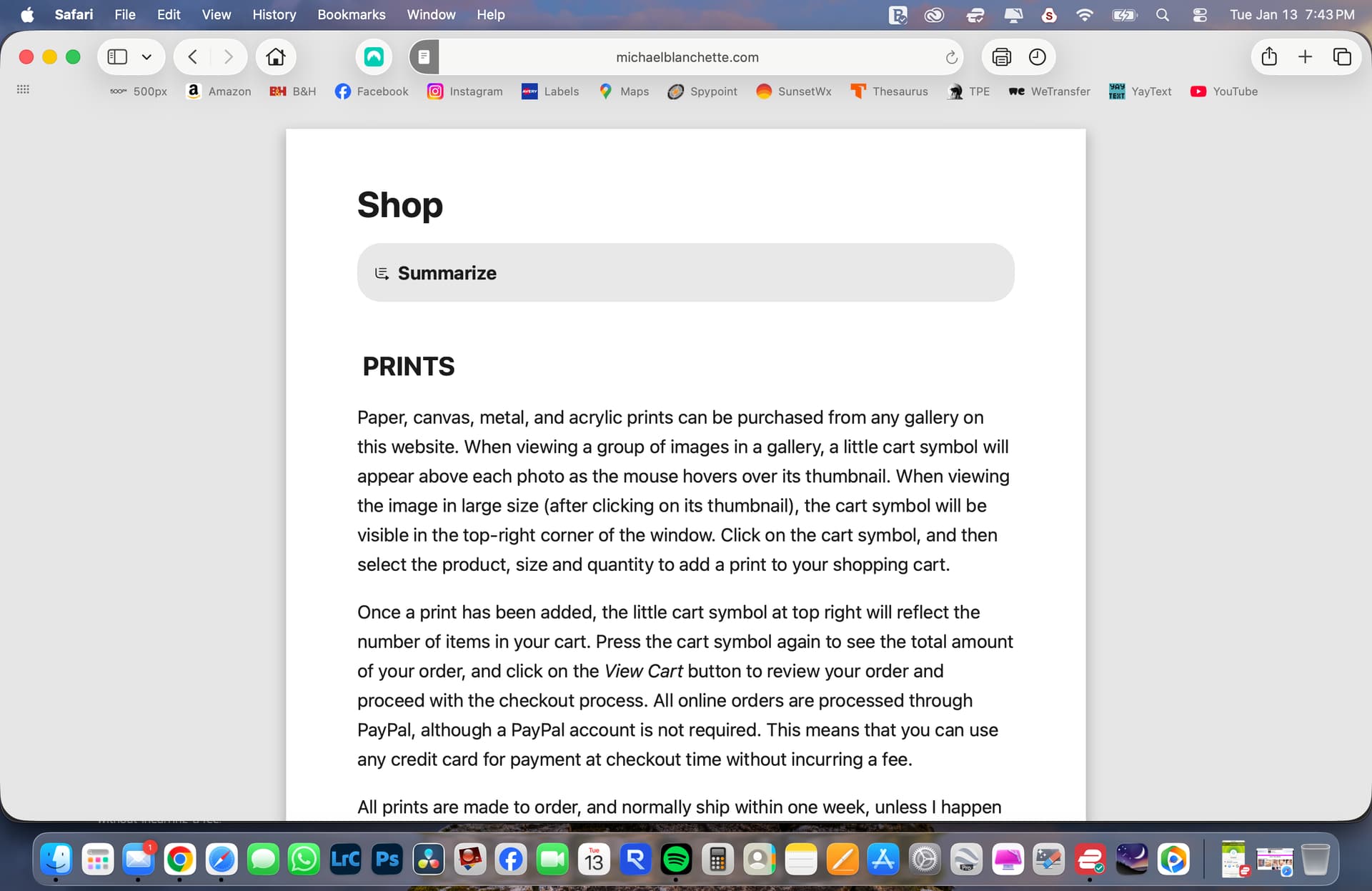
Good morning. I have a strange display issue on two pages of my website but only when running on small devices that force vertical navigation. Both pages display the same issue. I’m running the latest versions of Backlight 6 for all modules. Here are the two pages:
These two pages contain more text than any other pages, with an image at top. When under vertical navigation (ie on iPhone in my case), these pages display properly for about one second, and then transform into a page with a white background with no image and the name of the Backlight page at the top. I’ve tried removing the photo to see if that was the issue but that does not change the outcome. I also double-checked the HTML to see if there might be an obvious typo, but found nothing.
All of this works as expected on desktops – the issue only appears on small form-factor devices like phones or tablets. Any ideas?
Ok, so it doesn’t appear to be related to vertical navigation like I suspected. It seems to have to do with Safari. My main browser is Chrome and it all looks fine there. But when I look at it on Safari, those two pages are not rendered properly. I can see this on my desktop as well so it has nothing to do with small devices but perhaps with some browser incompatibility?
I’m wondering if it depends on the Safari version. I looks fine on my wife’s iPhone but she’s not running the latest version of Safari. I’m running the latest and see the problem. Also see it on my desktop with latest update. It looks to me like they may have introduced some kind of incompatibility. I’ve tried a number of changes to page content but nothing works. It displays the correct page for a second, and then overlays it with another version on a white background and the name of the template at the top of the page.
Good morning. I hate to be a nag on this issue, but I do think there’s an incompatibility between TTG and the latest version of Safari. I’m running version 26.2 on my desktop and I see the problem mentioned in my original post on other TTG sites other than my own. I even see it happening on one of TTG’s own sites: Backlight Albums - The Turning Gate. When I press the Home menu on this page, it overlays the intended page with a narrow page with the title “Home” at the top. This is the symptom I see on mine as well. And I know it’s not unique to my desktop because I see the same problem on my laptop also running updated Safari. It seems to happen on any page with “significant” text (more than a paragraph).
I just updated to the latest ios (26.2) and those pages still look good on my phone.
I went to the menu and tapped Home. Initially nothing happened, then I saw what you described–basically a page without the css loading. But it was quickly replaced with the styled home page. I may have had to hit the Home button again.
I can’t get the problem to repeat on other sites. I tried the TTG albums page you mentioned.
Glad I’m not crazy and you saw similar behavior as I’m seeing. To get those results on the TTG site, I pasted the site address into Safari (Backlight Albums - The Turning Gate) and then hit Home. With that sequence, I can get it every time.
No, because the Menu is covered by the narrow window. But if I click outside that window, it does return to the correct display. But I can’t do that on a phone where the overlayed display covers the whole screen.
Hi Matt. The problem appears on pages with significant text. You can see this page correctly using Google Chrome: Shop - Michael Blanchette Photography.
But when I look at it in the latest version of Safari (26.2 in my case), the correct page pops up for one second, only to be almost immediately replaced by an unformatted text page without the photo, with the name of the page at top like this.
I see this behavior not only on desktops using Safari, but also on my laptop, iPad, and iPhone. And I see it on text page of other TTG sites as well. A friend of mine uses the same templates, and her site exhibits the same issue.
try this:
Go to Settings > Apps > Safari
Scroll down to Settings for Websites > Reader
Check that Automatically Use Reader On > All Websites is turned off.