In my conversation with ChapGPT, I noted it advised me to use separate content for the ALT tag versus the Caption tag. I gave it the code for PHPPlugins and asked if it saw an opportunity to incorporate content from the IPTC values from “Accessibility” fields “Alt Text” and “Extended Description” and it said yes.This has been a feature I’ve wanted to do and try for years for the sake of SEO.
I can give you the entire conversation, but the important question that Chat asked was:
You MUST confirm whether Backlight exposes these constants:
Examples (varies by TTG version):
Photo::$IPTC_ALT_TEXT
Photo::$IPTC_DESCRIPTION
Photo::$IPTC_CAPTION
or sometimes:
“IPTC:Alt Text”
“XMP:Description”
If those constants don’t exist, you can still pull them via raw metadata keys, but we’d need to inspect TTG’s metadata map.
Use it on a test album. It’s got to be tested sooner or later anyway.
create a new page template and assign the phplugins file you’re using to it.
Create a new album template and assign the new page template to it.
Create a new test album using the new album template. In the Privacy tab, you can hide this album from the album set so it doesn’t appear to your visitors
Otherwise…
You can use Metadata One and Two from the Thumbnail Grid section to provide additional information to Phplugins and access it like $photo->hasMetadata('metadata_two') ? $photo->getMetadata("metadata_two") : "". Turn the field on, set the value and then turn it off again. I think to recall that the on/off is just for display purposes and the underlying feature is always available.
Or…
In the Photo Presentation section there are now Metadata Slots. I assume there’s a way to get access to them using Phplugins as well, but I never looked into that.
And I second Rod’s proposal of setting up a test album with its own template and Phplugins file. This way you can see if the AI proposals work, or at least to which extend.
Our code doesn’t support the IPTC extended description. I can look at adding it into Backlight’s Publisher (for when you upload directly within the Backlight admin) and possibly the LR Publisher, but I haven’t tried modifying metadata support there. Are you publishing from Lightroom or using Backlight’s Publisher?
The fields are available within the files themselves LR’s under Xmp.iptc.ExtDescrAccessibility and Xmp.iptc.AltTextAccessibility. This is where Backlight’s publisher gets the values.
They’re available within LR’s SDK in {{com.adobe.extDescrAccessibility}} and {{com.adobe.altTextAccessibility}} .
Supporting those fields would solve part of the problem. The second part would be fetching the values in PHPlugins.
Please limit the code you pass to ChaptGPT or other services. I don’t know what the copyright implications are for our code.
My sincere thanks s to Rod, Ben and Daniel for their assistance. I always appreciate the time you guys take to assist me.
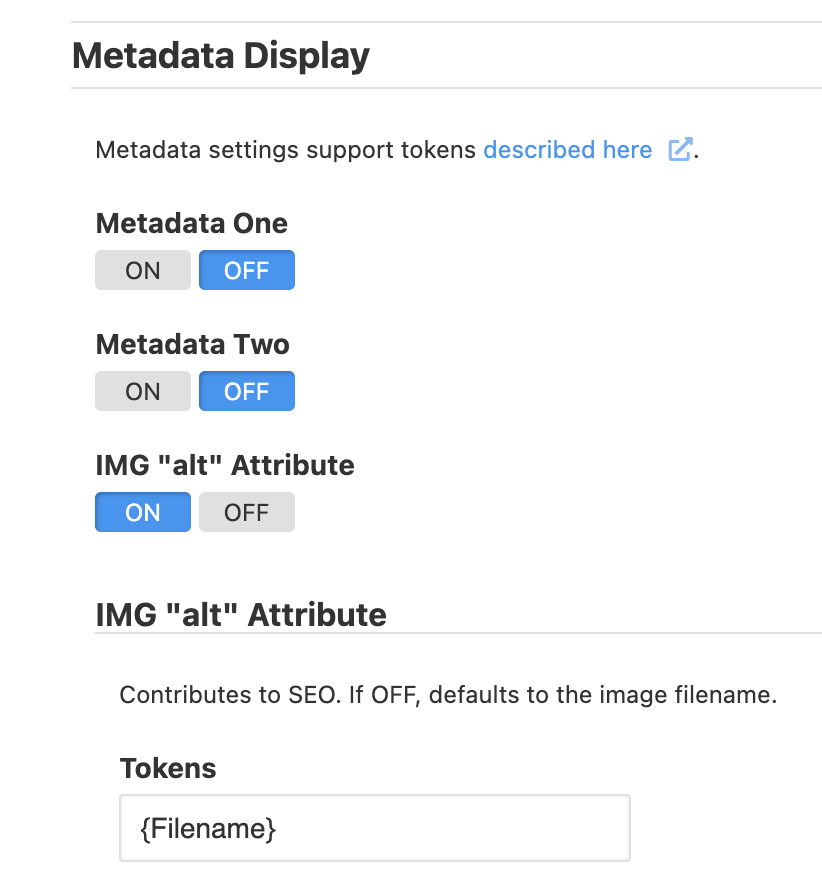
I want to update you on this topic and start by saying “My apologies!” The answer to my problem was under my nose and I missed it. I failed to remember there is a setting for “ALT” in the thumbnails section for the album page template. Once I assigned the token “{Category}” in it, everything fell into place. Daniel had finally tipped me off it was there and I couldn’t see it – because I was looking in the wrong place,
Also, the core of Daniel’s code for the PHPPlugin where it fetches the metadata does work. I failed to implement it correctly but finally figured it out and it worked.
So again, my apologies. I am humbled by my stupidity.
All was not lost… I learned a number of other things along the way that went toward my wanting to improve the SEO of my galleries. Many of those notes for those items do not belong here but I will mention this:
I was trying to avoid going into “blog” mode because I have seen where Google puts a relative amount of weight on the alt tag for an image. When combined properly with “Title”, “H1”, rich content in the head of the thumbnails page, filenames, captions and alts, it definitely has weight – especially when it is all coordinated like an orchestra. Being able to deal with all of that within Lightroom and Backlight makes for a good workflow for me.Could there be more enhancements, yes but all of the important items are there for me now.
 If those constants don’t exist, you can still pull them via raw metadata keys, but we’d need to inspect TTG’s metadata map.