I’m contemplating the overall structure of a new, blog centered site and would like to base it on Kookaburra. (Which seem very promising btw)
Is it possible to have a blog appear as the site index page?
As things currently work, I don’t think so. At least not without having to do redirect shenanigans, which we never love.
Might be something that @Ben can offer advice for, or perhaps something we can think about for a future update.
1 Like
Thank You. Would definitely be thankful, if that could be put on the roadmap. So far I’m convinced, the friend, I’m building the site for will be better of with Kookaburra than with a combination of Pangolin & wordpress. I’m already wondering if I should overhaul my own site.
Hi @michilge, this isn’t something that had been considered, but is a very good idea.
This will probably require some way of embedding a blog within a page, the mechanism used to show Albums or Album Sets on the home page. I’ll look into this for a future update.
1 Like
Thank you for considering the idea. I hope it can be accomplished without You having to touch fundamentals. Since posts can already be nested into posts and albums and album sets can be nested into pages, I keep fingers crossed, that much of what’s needed is already there.
Is there a way you can use a Kookaburra album page as an index page or is the Pangolian page the only way?
Kookaburra doesn’t support embedding in the same way that Pangolin does, but that’s largely because of the “essay anywhere” support, and the flexibility it affords. If you treat the home page as an essay, you should be able to put whatever images you like there.
See this for more info:
I guess what I’m asking is, can you design a Kookaburra page and set it as an “index” page, or is using a Pangoolian page the only way? I like the way Kookaburra looks, and adding photos/albums in the essay format is fantastic. I can’t find a way to set up an index landing page in Kookaburra? After clumsily trying to make this work, I’ve broken my site :), see Hookephoto.com.
when trying to create a new index page (my home Landing page) I get this error
Something went wrong
SQLSTATE[HY000]: General error: 1 no such column: is_default in TemplateDAO.php on line 56
Yes.
In Backlight, go to Publisher > Pages
Click on the name of the page you want to be the index page
Click on Edit Properties
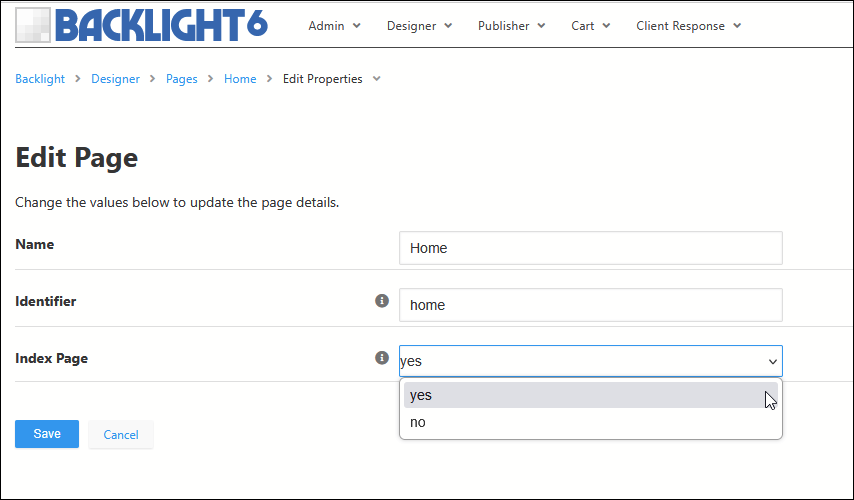
You can also choose for a new page to be the index when you are creating the new page
Thank you for your help. You’ve always been there, and I’m so grateful. I was working with that, and I think it’s only for Pangolian pages, Correct? By using Kookaburra and setting up pages through the Gallery section with Essays, I don’t see a way to make anything an Index page? I might be totally lost in this; forgive my stupid questions.
Also, now when I try to create the home page as you sent, this is the error code I see;
Something went wrong
SQLSTATE[HY000]: General error: 1 no such column: is_default in TemplateDAO.php on line 56
No. You can set any page (any of those listed in Publisher > Pages) as an index page.
Albums and album sets cannot be index pages. Pangolin based albums and album sets can be embedded into a Home page but only if that page is also a Pangolin based page.
I don’t know what’s going on there. I just tested creating a new Kookaburra home page and it worked fine for me.
Check that everything is up to date, clear template cache and try again.
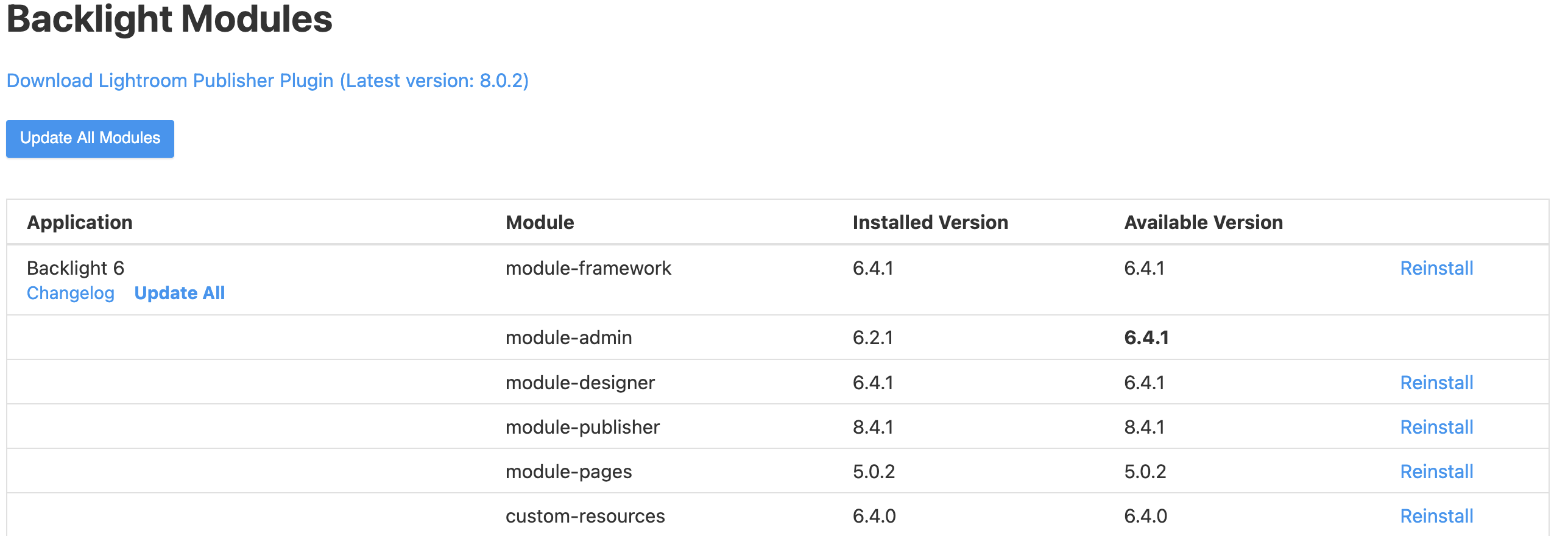
The Update from 6.21 to 6.41 was when I started to have this trouble. I intended to refresh my website for the upcoming engagement season. Most items have been updated, but it did take several tries. I do have one that is stubborn: module-admin 6.2.1 6.4.1.
Just tried to refresh, and it still doesn’t work. I reinstalled several of the Kookaburra modules, too.
TIA
@Ben will need to weigh in.
what version of PHP is your host running? (you can find out at Backlight > Admin > Special Link: View PHP Info
Linux vps34585 6.8.0-51
Just tried updating again. Still says 6.2.1 at the bottom of the page. And tried updating album files.
Tried to make some of my pages an index page, and nothing will change. I get that same error code;
SQLSTATE[HY000]: General error: 1 no such column: is_default in TemplateDAO.php on line 56
Do I need to reinstall Backlight? I have a full version of 602
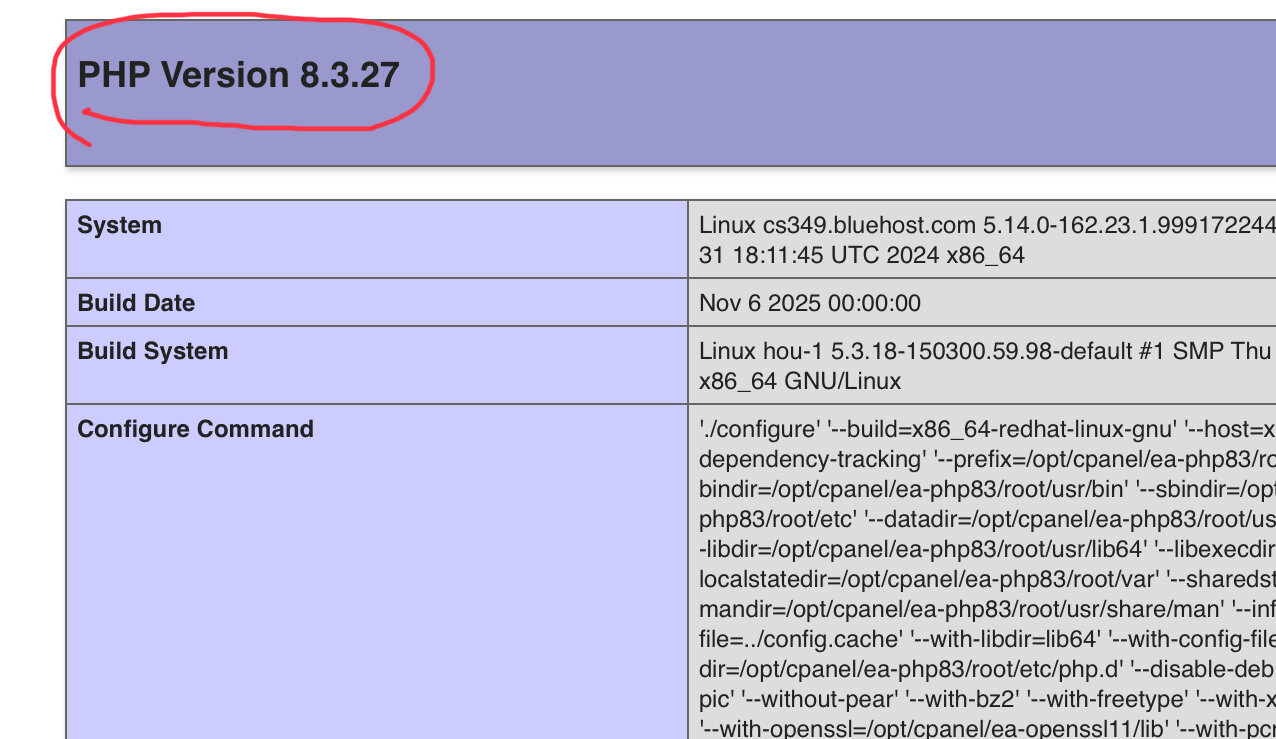
PHP Version 8.4.5
When you go to your Backlight Modules page, which module(s) shows that need updating? They will be in bold.
You can try clicking the link to install the needed modules.
You could also try the Reinstall All link.
(no need to upload the files you received for 602)