I am using Backlight 4. I have seen references to password-protected albums, but after a thorough (I think) search of the site administration pages I could not find any place to set a password for either an album, and album set, or a gallery. I did not find any instructions for setting a password for viewer access anywhere in the online documentation. I did try this:
Log in to the Backlight 4 administration site.
The Dashboard appears.
Quick Links > Backlight Settings > click “Edit Settings”
Under Publisher / Enable Master Access Key > enable
Master Access Key > edit (enter the password to use)
Protect Cover Images for Password-protected Albums: yes
Scroll to the bottom of the page > Save Settings
That did not result in any password being asked for when viewing the web site. Did it do anything?
So how do I go about setting album, album set, and gallery passwords?
Thanks.
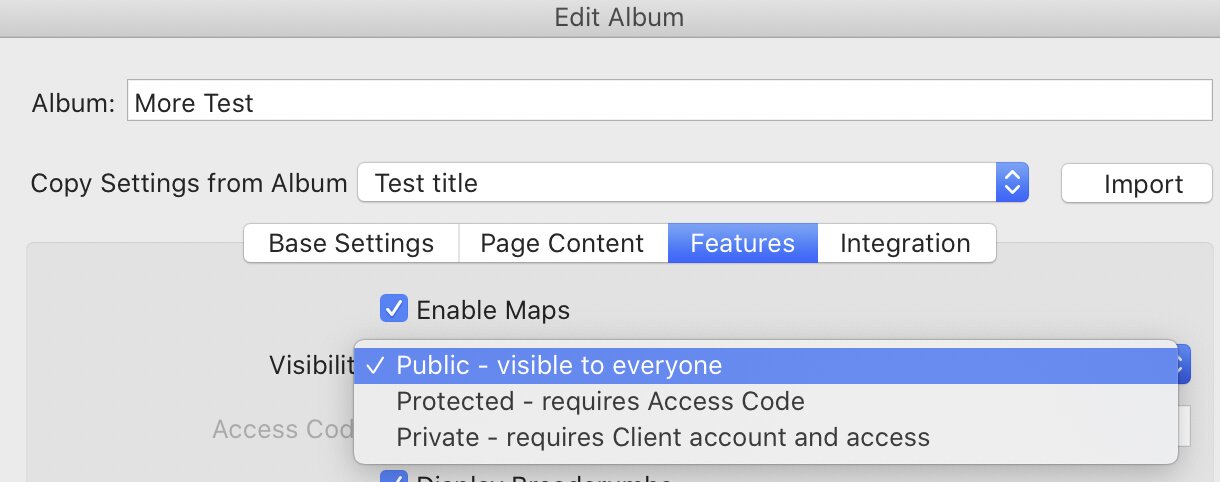
In Lightroom Publisher, it is in the album settings:
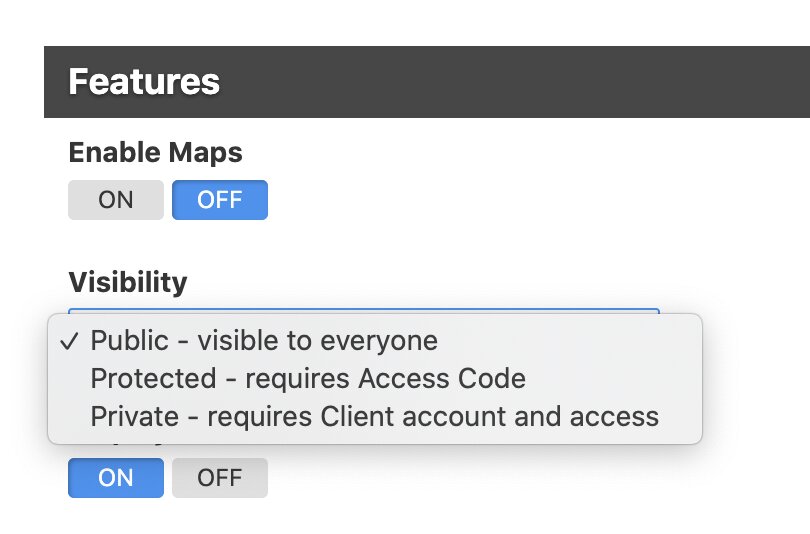
You have the same settings as well in Lightroom Publisher when selecting Edit Album:
Once you selected “protected”, you can set the password/access code.
Thanks for the reply. I am using the web based publisher – in which I do not see any settings like those you shared from the Lightroom Publisher. If there are corresponding settings in the web based publisher please direct me to them. (I may need step by step instructions on how to get there.) Thanks.
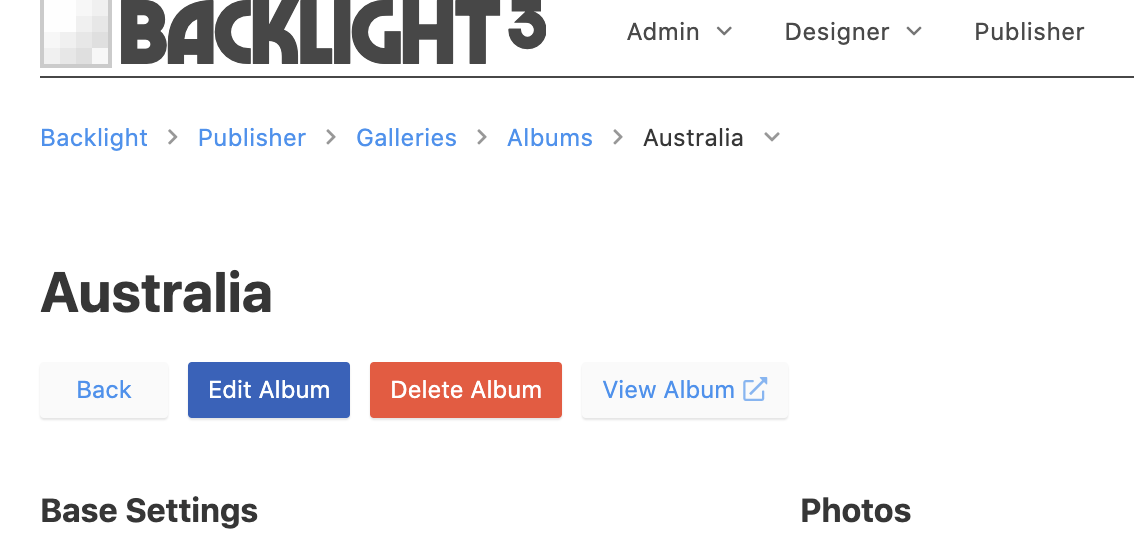
Click on Publisher in the menu and then navigate to the album in question, then click on Edit Album.
When you scroll down, you will find the Features section I showed in my original response.
Daniel, Thanks very much. Actually, even when I followed your most recent directions, at first when I got to that page and perused the settings I did not see it. But after a minute of rescanning I did. Now on to something else. Might I be so bold as to ask you about how you designed your site danielleu.com – or where I can read how to do such a design? The design you have with menu items on the left and other complicated arrangements does not seem immediately intuitive to me using the Backlight designer/publisher tools. Thanks again.
Daniel is using the Vertical navigation option. If you disable horizontal navigation in the page template, then the vertical will take over for desktop displays.
If you have any specific questions, can you start new topics for each? That makes it much easier for others to find answers to similar question.
Happy that you got it working, Bill. The most obvious question was already answered by Rod. I did a lot of customization using custom.css and phplugins when I created my site. Some of the things I did are described over on lab.danielleu.com.
Thanks Daniel. I’ll check it out.