My previous web site was deeply compromised (shared server) so I have moved to standalone site. I have successfully installed Backlight 3 on the new site.
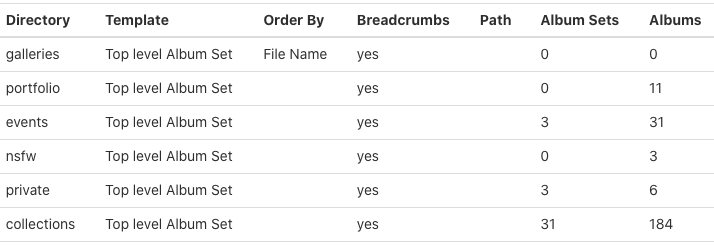
My problem comes in with moving the published structure. I have multiple publish instances. The first (Portfolio) was easy, I repointed the publisher settings to the new (temp) URL. It simply contains 11 albums and I was able to just “publish” them
The next set is much more problematic. It contains multiple levels of Album sets (with sub-sets that have sub-sets) and I cannot figure out the proper way to re-publish them to retain the directory structure (or even actually work)
Re-publishing a set results in not retaining the directory structure below, rather all the albums are placed on the same level.
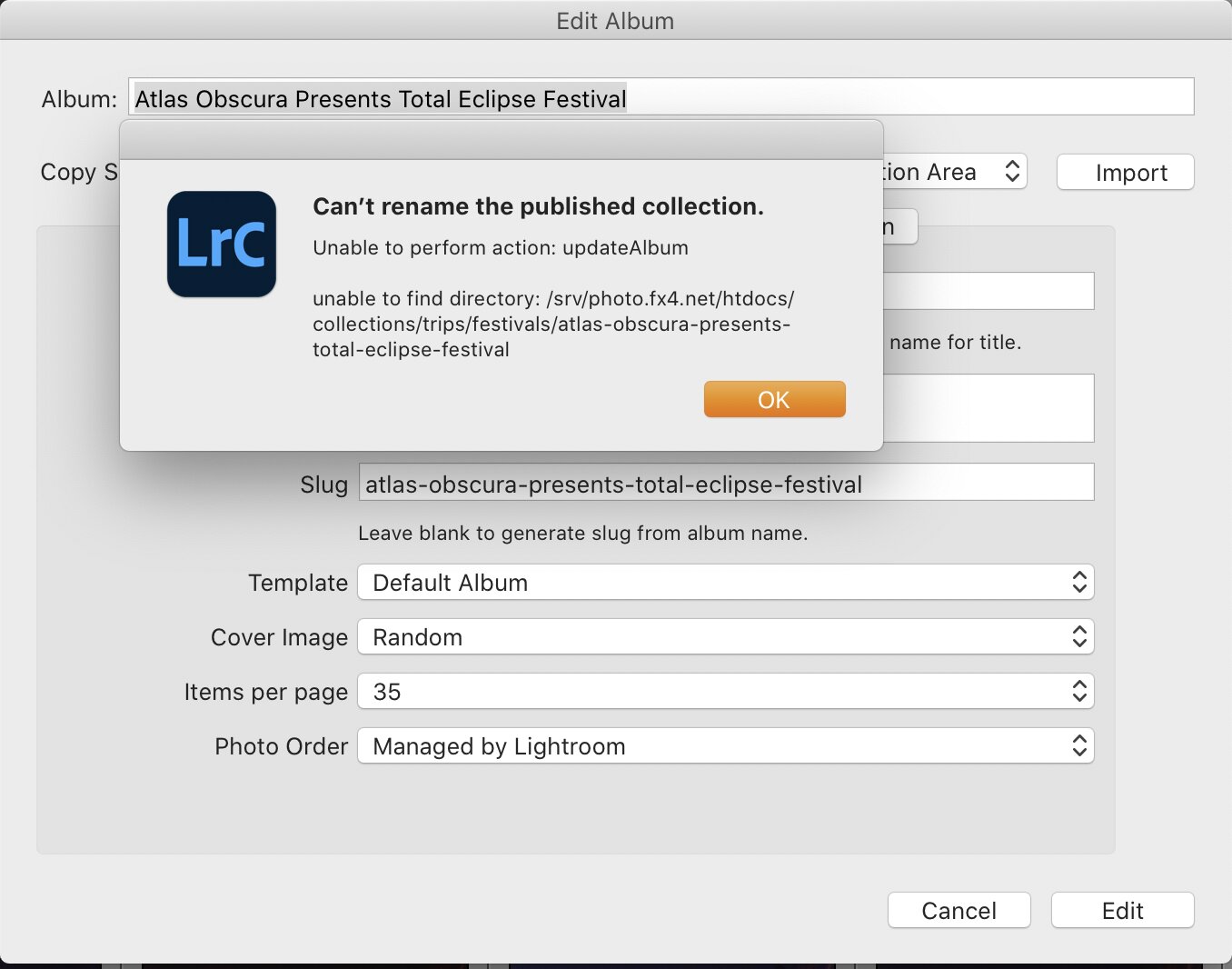
Republishing an album in the set results in occasionally successful publication, but the album is still in the main directory (not it’s nested directory and an error message:
“Unexpected error: Trying to access array offset on value of type null in AlbumDAO.php on line 733”
Additionally (possibly related), see this post from my initial rebuild in 2019 (yes, the host thought it was cleaned out, it was not):
there should be a link to the old forumes, but that is apparently not allowed - search for “Complete reinstall question”)
I am also getting errors like:
Unable to perform action - uploadrendidtion
Message: path was not found: (path to missing folder)
Which, of course it is not found. Sometimes it creates the new directories, sometimes it does not.
There are so many hidden payloads in the compromised site that I cannot risk moving any files over, so I must republish 300+ albums. In an of itself, that is not a problem, only tedious (and theoretically the advantage of using a publishing system)
In case you are thinking, “just start over” here is the biggest publish instance. These all have descriptions, etc.
I have realized that these are all originally published with Backlight 2, and now trying to republish with backlight 3. I am going to test publishing a subset with 3 to the old site and then see if I can get anywhere
It sounds like you’re tying to republish albums to album sets that don’t yet exist. I’m not sure that you can re-create your structure all at once like you’re trying to do. But Ben may have some ideas on that.
Have you tried editing an album set and hitting the Edit button to see if the set is then created on the site. If that works, you could try the same thing with the rest of the album sets. My guess is that you will need to work from the top down.
Once the album sets are in place, perhaps the albums will be republished where they need to go.
I am happy to not do it all at once, but how? ;).
What it looks like I need to do is republish the Album set without republishing all the photos in the sub-sets, but I don’t think Lightroom lets me do that.
I can edit the Album Set, but that does not create the directory on the server until I publish, and it can’t publish becasue the directory isn’t there. So I can’t save an edit
Your screen shot shows an edit of an album, not a set. Have you tried this with an album set?
If that won’t do it, then I’d wait for Ben to chime in then. I think the database needs to know about the album set before it can put albums in it, but if you can’t publish/create just the set from an existing Publisher instance, then the database can’t know about it. It’s a vicious circle.
You are correct, that was editing an album. When I edit an album-set, nothing happens (no error, nothing written to server). If I then try to publish an album-set, chaos ensues. (it attempts to publish the entire set and flattens the directory structure then errors out)
There may be no good answer.
But Ben will probably know if there’s a way.
Indeed, that seems to be better. Edit each album set from the top down, critically, before editing anything ‘below’ it. Once you do it out of order, you have to delete the albums in Publisher and start over.
Some progress…
I’ll be interested in how this turns out. I’ve never needed to try anything like this but it will be useful to know if it works.
OK, the pre-step is to make sure everything is clean and you have deleted all the incorrectly uploaded albums and have only the Publisher top level galleries. All extraneous directories deleted from server.
In Lightroom:
For each publisher instance: Set API URL to the correct (new) URL and check authentication. Accept that you want to re-publish
For each Album set:
Edit the topmost Album Set in a tree (dismiss the three error dialogs). IMPORTANT: make some change, I added a space at the end of each description. Work your way down through each tree, being careful to do it in order (within each level order doesn’t matter). Edit each Album and Album Set as above. When you edit an Album Set, then edit all it’s children on the next level down. Once EVERYTHING in a tree has been modified, you should see your directory tree has been created on the server. You can then publish the top level Album Set and it should publish its way down the tree. Lightroom occasionally throws an error relating to a C function. Just publish again and it will pick up where it left off. If you get an error relating to an Upload Rendition, you missed editing an album.
If you ever edit anything ‘below’ something that has not been edited, you have to wipe the whole tree out in Publisher on the server AND manually delete the extraneous directories. This can get tricky, as the directories are owned by Apache on my server.
Once all the Album Sets and Albums are edited, it only took a few hours to re-publish (on a 2020 iMac 10 Core i9 40GB with gigabit fibre)
1 Like
Thanks for posting this Scott. That’s really good info to have.
1 Like