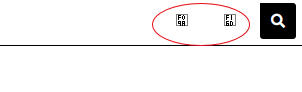
I have social media links configured on my site default page template, and after upgrade to BL5 they are no longer visible. They are present since I can click on where I know they are and they take me to the appropriate site. You just cannot see the icons.
I have tried clearing the template cache, but that did not help. Any ideas?
that could very well be. The site is www.jimsweeneyimages.com and they are positioned at the top right. everything is white, but I’m not sure what to change the color on.
It could also be that the Font Awesome icon names you’re using in the Social Media section of the template are using the Font Awesome pro names rather than the Font Awesome Free names. You may just need to go to the Font Awesome site and look at what’s available in Font Awesome 5 Free.
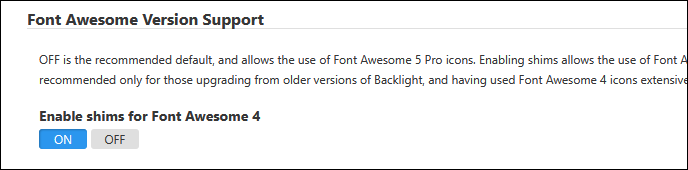
I definitely was using an older backlight version before the upgrade. I’ve tried enabling the Font Awesome 4 shims, with no apparent effect. I looked at the Font Awesome site and it is kind of confusing: the icon names appear to be the same between free and pro. I am just trying to use something basic like “facebook”. Could the site somehow not be pointed to Font Awesome somehow?
you might need to use fa fa-facebook
there are different classes of Font Awesome fonts: fa, fas, far. I don’t recall what they all stand for but they do matter.
OK - I think I have it. I am using ‘facebook’ and ‘instagram’ for the icon names, and changed the Font Awesome style from ‘Regular’ to ‘Brands’ for both links. I’m not sure what they mean, but it works.
Thanks for that background, Matthew. Earlier Rod helped me get this sorted out and I believe I am now using icons from Font Awesome Free. the icons are displaying on my home page (www.jimsweeneyimages.com) and the links work as well.